
Super Hearing: Spy Hearing App
Wallet Passes AllianceMusic & Audio
4.7357.00 Reviews
- Version
- 2.1.0
- Installs
- 500.00K
- Age Rating
- Everyone
Screenshots
Our Review of Super Hearing: Spy Hearing App
 Analysis by Appyee
When I think about an audio amplifier on a phone, the first question is not whether it sounds dramatic, but whether I can use it comfortably and understand what it is doing. Super Hearing: Spy Hearing App is a free music and audio app from Wallet Passes Alliance that uses a phone’s microphone to make nearby sound easier to hear through headphones. Its idea is simple, but the value depends on the setting, the phone, and how much control the listener needs.
Finding your way around
The opening screen is designed to make the main action easy to spot: a prominent Start button leads into listening rather than asking me to work through a complicated setup. That directness can help someone who is unfamiliar with audio tools, and it keeps the basic task clear. The app’s minimal presentation also avoids filling the screen with controls before a user has even tried it.
After starting, the microphone sensitivity control becomes the key adjustment. I would treat it as a practical tuning step, not a magic setting that separates every voice from every background sound. Start low in a quiet room, then make small changes while listening. That approach is more useful than immediately turning sensitivity up, which can make handling noise and room sounds more noticeable too.
What listening feels like in practice
The app’s central workflow is familiar: connect headphones, begin listening, and adjust the microphone sensitivity to suit the room. In a quiet home, this can make faint sounds more apparent. In a shared space, it may help bring a nearby conversation forward, although it cannot guarantee that a particular voice will stand out from competing noise.
A useful everyday trial is a conversation at a table with a friend. I would first place the phone securely on the table, rather than hold it, and check whether the microphone is pointed toward the person I want to hear. Then I would adjust sensitivity in small steps. This reduces the chance that finger movement or clothing noise becomes the loudest thing in the headphones. It also helps show whether the phone’s position, rather than the app setting, is the real issue.
That distinction matters because the app amplifies sound picked up at the phone; it does not make the phone microphone directional in a way that can be assumed to isolate a chosen speaker. In a busy café, moving closer to the person or choosing a quieter seat can be more effective than raising sensitivity. The app is best seen as an aid for particular listening situations, not a substitute for changing the environment when that is possible.
Different abilities and contexts
For someone who finds it easier to hear when audio is delivered through headphones, a phone-based amplifier may be a low-effort way to explore whether amplification helps in a specific moment. Students might try it while listening to a nearby speaker in a quiet study setting, and someone at home might use it to pay closer attention to a soft sound from another room. These are situational uses, not evidence that the app will meet every person’s hearing needs.
For motor access, a large, obvious start control is less demanding than a screen full of small adjustments. Sensitivity tuning still requires deliberate taps, though, and a user who has difficulty making precise touch adjustments may find repeated fine-tuning frustrating. I would set up the phone and headphones before the conversation or activity begins, rather than trying to manage the screen while also following speech.
Sound amplification can also be tiring or uncomfortable, especially when a setting makes incidental noises prominent. I would begin at a comfortable listening level, test briefly, and lower it if the sound feels harsh or overwhelming. A phone amplifier is not automatically a good fit for every sensory preference. If headphones themselves are uncomfortable, or amplified background noise makes listening harder, this particular approach may not help.
How it compares with other choices
Compared with simply using a phone’s built-in speaker, headphones keep the amplified sound close to the listener, which can make a quiet sound easier to attend to without playing it aloud. Compared with a dedicated hearing device, however, this is a more improvised arrangement: the phone must be positioned where it can pick up useful sound, and the listener needs to manage the app and headphones. Someone who needs reliable help throughout the day should look into appropriate hearing care and purpose-built options rather than expecting a general phone app to do that job.
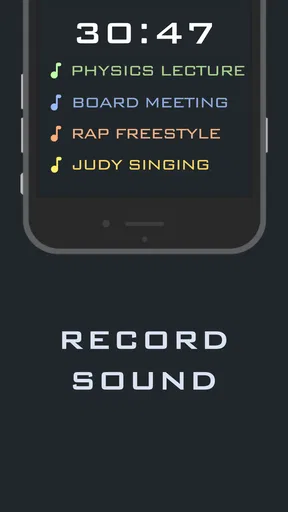
It is also different from recording audio for later. The point here is listening as sounds are picked up, so a good result depends on the room and placement at that moment. If the goal is to capture a discussion, a recording tool may be more suitable; if the goal is to follow a live conversation, this app’s headphone-based listening workflow is the relevant one. I would not use an amplifier as a reason to listen in on private conversations: respect for other people’s privacy still applies.
Limits worth planning for
Battery use is a practical consideration because the phone is actively using its microphone while the user listens. For a short conversation or a brief check around the home, that may be manageable. For longer sessions, I would start with a well-charged phone and avoid assuming the app is suitable for all-day use. The phone’s microphone and headphone arrangement also make the experience dependent on the device being close enough to the sound source.
There is a small learning curve even with a straightforward interface: the listener has to find a sensitivity level that does not overemphasize rustling, taps, or other unwanted sounds. That is not a defect unique to this app so much as a trade-off of amplifying microphone input. If adjustments fail to make speech clearer, repeatedly increasing sensitivity is unlikely to solve every problem; repositioning the phone or choosing a quieter place is a sensible next step.
Super Hearing: Spy Hearing App is free to install and is rated for Everyone. It has a 4.7 average from around 6.9 thousand ratings, with over 100 thousand installs. The current version is 2.1.0, it supports Android 5.0 and later, and optional in-app purchases range from $0.99 to $99.99 per item. Those purchases are worth checking carefully before committing to anything; the basic idea is easy to assess with a short, low-stakes test.
Who is likely to benefit
I would recommend trying it to someone who wants an occasional listening aid, is comfortable using headphones, and can place a phone near the sound they want to hear. It may also suit a curious user who wants to experiment with microphone amplification at home. The most useful test is a familiar, quiet situation where the listener can stop immediately if the amplified sound is uncomfortable or unhelpful.
I would steer someone toward a different option if they need dependable support in varied environments, must hear clearly while moving around, or want a tool that automatically focuses on a speaker. It is also not the right choice when the phone cannot be placed near the source, when headphones are unsuitable, or when the user needs clinical advice about hearing changes. A short app trial can be informative, but it cannot diagnose hearing loss or replace a hearing professional’s guidance.
My experience with the app
Ever wished you had superpowers? Well, while we can't promise you'll be flying anytime soon, the Super Hearing: Spy Hearing App might just make you feel like a superhero in the auditory department. I decided to give it a whirl, and here's how it went.
First Impressions
Downloading the Super Hearing: Spy Hearing App was a breeze. Available on both Android and iOS, it quickly made its way onto my home screen. The app boasts a simple and intuitive interface, which is always a win in my book. No one wants to spend ages figuring out how to use an app meant to enhance your hearing.
Upon opening the app, I was greeted with an easy-to-navigate menu. The main screen has a big "Start" button, practically begging to be tapped. So, naturally, I did.
Getting Started
The app essentially uses your phone's microphone to amplify sounds around you, and you can listen through your headphones. Think of it as a personal hearing assistant. The setup was straightforward: plug in your earbuds, hit "Start," and voilà! You're ready to eavesdrop... I mean, listen more attentively to your surroundings.
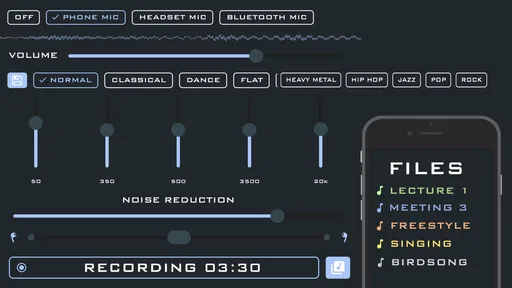
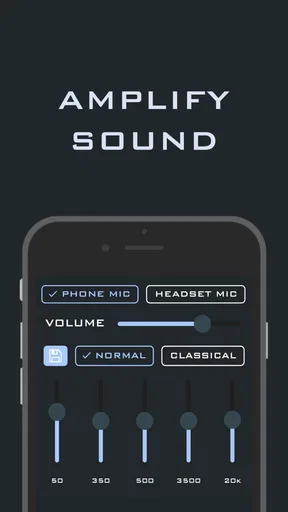
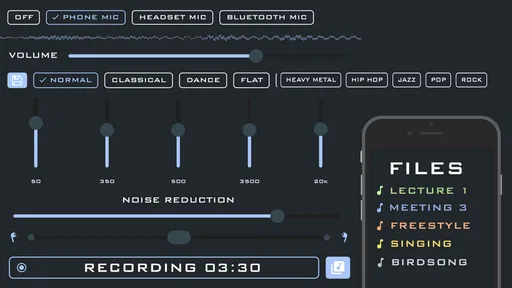
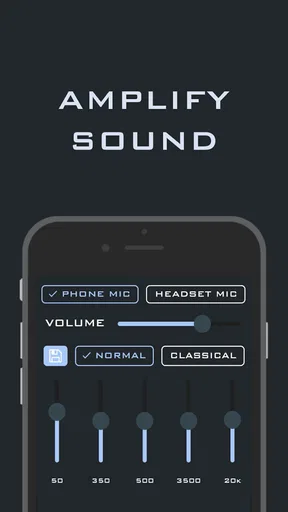
One feature that caught my attention was the ability to adjust the sensitivity of the microphone. This means you can fine-tune it according to your needs, whether you're in a noisy café or a quiet library. It's like having a volume control for the world around you.
Performance in Real-Life Scenarios
Curious to see how well it worked, I tested it out in different environments. At home, I could easily hear the faint ticking of a clock from the next room, which, honestly, was a bit eerie. In a bustling coffee shop, the app helped me focus on conversations rather than the background chatter. It's a bit like having selective hearing, but in a good way.
However, there were some quirks. Occasionally, the app would pick up unwanted noises, like the rustling of clothes or tapping on the table. It takes a bit of fiddling with the sensitivity to get it just right, but once you do, it's pretty impressive.
Design and Usability
The design of the app is sleek and minimalistic. No unnecessary clutter, which I appreciate. The developers seem to have focused on functionality, ensuring that users have a seamless experience. The controls are straightforward, and the app doesn't bombard you with ads, which is a huge plus.
One minor gripe would be the battery usage. Since it relies heavily on the microphone, it does tend to drain the battery faster than usual. So, if you're planning an all-day eavesdropping session, make sure to have a charger handy.
Who Is It For?
This app isn't just for the curious or those with a penchant for espionage. It can be genuinely helpful for those with mild hearing difficulties. It's also great for students who might want to focus on lectures or anyone wanting to enhance their listening experience in various settings.
While it won't replace a proper hearing aid, it's a handy tool to have on your phone. Plus, it's a fun way to feel like you're part of a spy movie, even if just for a little while.
Final Thoughts
Overall, the Super Hearing: Spy Hearing App delivers on its promise to improve your auditory experience. It's user-friendly, effective, and a bit of a novelty. Whether you're looking to enhance your hearing or simply curious about what's happening behind closed doors, it's worth a download.
So, if you're up for it, give it a try! Who knows, you might just start hearing things you never noticed before.
Verdict
Strengths of Super Hearing: Spy Hearing App
- Enhances ambient sounds effectively.
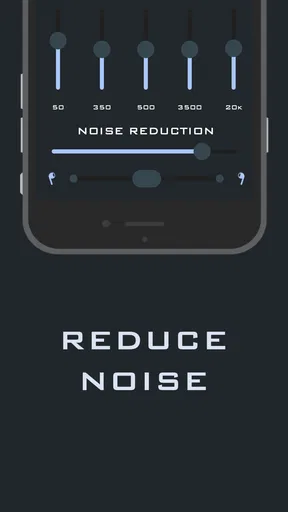
- Customizable sound settings.
- User-friendly interface design.
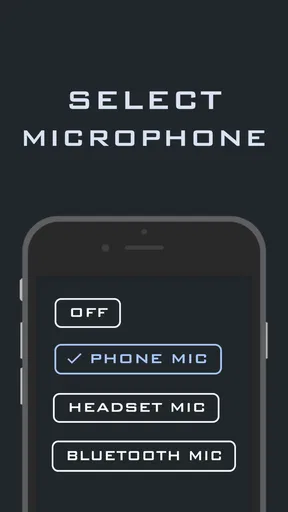
- Works well with Bluetooth devices.
- Low battery consumption.
Limitations of Super Hearing: Spy Hearing App
- Requires headphones for optimal use.
- Limited functionality without Wi-Fi.
- Not compatible with all devices.
- Ads can be intrusive at times.
- Privacy concerns for public use.
Other Releases by Wallet Passes Alliance
View All
WalletPasses | Passbook Wallet
Travel & Local4.5

House Design Plan 3D App
House & Home4.0

Funky Smiles Live Wallpaper
Personalization4.7

Mirror Link
Libraries & Demo3.2
Similar Picks in This Category
View All
YouTube Music
Google LLC4.4

Samsung Music
Samsung Electronics Co., Ltd.3.8

Spotify: Music and Podcasts
Spotify AB4.3

JioSaavn - Music & Podcasts
Saavn Media Limited4.3

Lark Player:Music Player & MP3
Lark Player Studio - Music, MP3 & Video Player4.6

StarMaker: Sing Karaoke Songs
SKYWORK AI PTE. LTD.4.3
Frequently Asked Questions
What is the main purpose of the Super Hearing: Spy Hearing App?
The Super Hearing: Spy Hearing App is designed to enhance your hearing capabilities by amplifying sound from your surroundings. It uses your device's microphone to capture audio, which is then processed and delivered to your headphones or earbuds. This app is particularly useful in situations where you need to hear better in noisy environments.
Is the Super Hearing: Spy Hearing App safe and legal to use?
Yes, the app is safe to use and available for download on official app stores. However, legality can vary depending on local laws regarding audio recording and privacy. It's crucial to use the app responsibly and ensure that you have consent to listen in on conversations, as unauthorized eavesdropping may be illegal.
Does the Super Hearing: Spy Hearing App require any special equipment?
The app itself does not require any special equipment beyond a standard smartphone or tablet. However, for optimal performance, it is recommended to use high-quality headphones or earbuds. This will ensure that the amplified sound is clear and without distortion, enhancing your overall experience.
How user-friendly is the Super Hearing: Spy Hearing App?
The app is designed with a user-friendly interface, making it accessible even for those who are not tech-savvy. It offers intuitive controls for adjusting volume and audio settings, allowing users to easily customize their listening experience. Most users find it straightforward to navigate and use effectively.
What are some common use cases for the Super Hearing: Spy Hearing App?
Common use cases for the app include enhancing hearing in crowded settings, aiding individuals with mild hearing impairments, and providing assistance in lectures or meetings where acoustics may be poor. However, it's important to use the app ethically and respect the privacy of others while utilizing its features.
